vCard and .VCF Files Explained
Published · Updated · Basics
By Virtual Business Cards Editorial Team
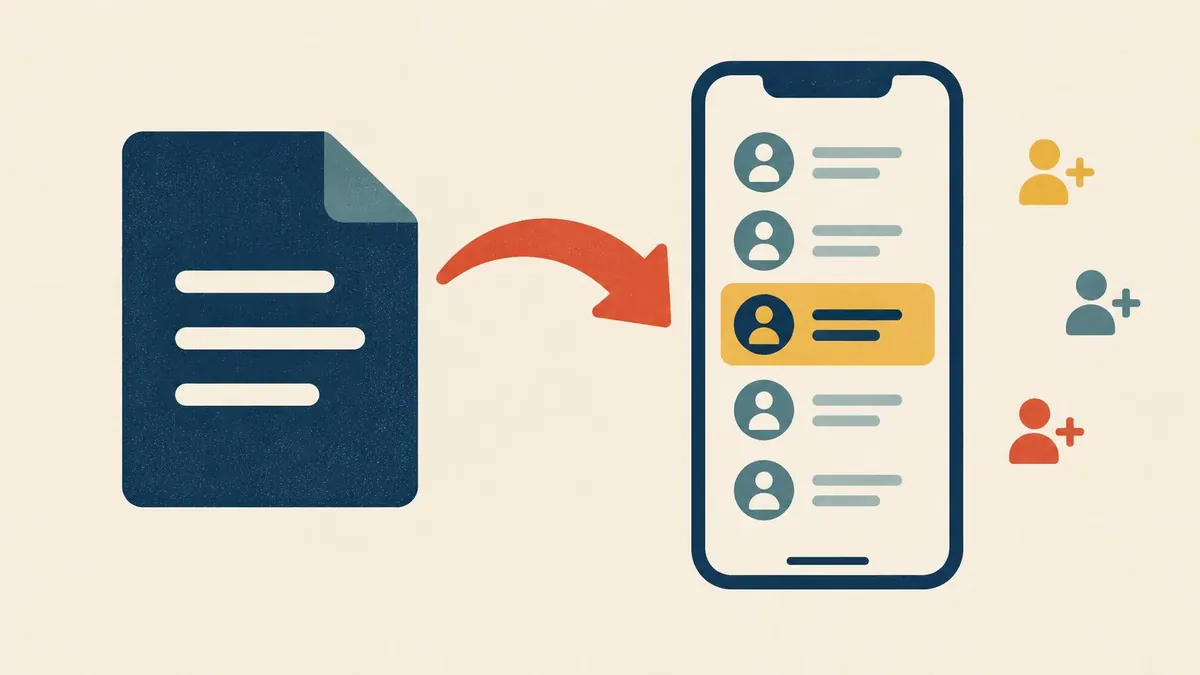
When you share a contact from a phone, or click "save contact" on a profile, the file that moves is almost always a vCard. It is one of the oldest formats still in daily use. This guide explains what is inside a .vcf file, which version to use, why it cannot fit into a QR code with a photo, and how it relates to a virtual business card.
Key points
- A vCard is a plain text file with a .vcf extension. The current version, 4.0, is defined in RFC 6350 (2011).
- Only four lines are required:
BEGIN:VCARD,VERSION,FNandEND:VCARD. - Version 3.0 (RFC 2426, 1998) is still the safest choice for wide support.
- A QR code holds at most 2,953 bytes of this kind of data, so a vCard with a photo cannot fit.
- A .vcf file is a snapshot. It cannot update itself after you share it.
What a .vcf file is
Open a vCard in any text editor and you will see readable lines in the form PROPERTY:value, wrapped between BEGIN:VCARD and END:VCARD. There is no database and no hidden container. It is closer to a structured note than a document.
That simplicity is why it has lasted since the 1990s. Every mainstream contacts app can read one. A reader that does not understand a line is expected to skip it rather than reject the file.
Three rules from RFC 6350 trip people up when they write vCards by hand:
- Long lines should be "folded": broken with a line break followed by a space, which the reader joins back up.
- Commas, semicolons and backslashes inside values must be escaped with a backslash.
VERSIONmust come straight afterBEGIN:VCARD.
Which version should you use?
Three versions are still in circulation. Mixing them up is a common cause of "invalid contact" import errors.
| vCard 2.1 | vCard 3.0 | vCard 4.0 | |
|---|---|---|---|
| Published | 1996, Internet Mail Consortium | RFC 2426, 1998 | RFC 6350, 2011 |
| Text encoding | Varies | Varies, with an encoding parameter | UTF-8 only |
| Photos | Embedded in the file | Embedded in the file | A link, or embedded as a data URI |
| Newer properties | — | IMPP for chat handles | KIND, GENDER, ANNIVERSARY, RELATED, MEMBER |
| Dropped | — | Some 2.1 features | AGENT, LABEL, NAME, MAILER, CLASS |
| In practice | Widest, most forgiving | The safe default | Best specified, patchier support |
The surprising result: vCard 3.0 is usually the safest version to create, even though 4.0 is newer. Most contacts apps were written with 3.0 in mind.
The standard is still moving. RFC 9554 (2024) added properties to 4.0, including PRONOUNS, LANGUAGE and SOCIALPROFILE. Social links finally have a standard home, although contacts apps will take time to support it.
The properties you will actually use
The standard defines dozens of properties. A business contact needs about ten.
- FN — the display name. The only required content line.
- N — the name in five parts: family name, given name, other names, prefixes, suffixes.
- ORG — organisation.
- TITLE — job title.
- TEL — phone number, with a type such as
cell,workorvoice. - EMAIL — email address.
- URL — a web address. Repeat it for several links.
- ADR — postal address in seven parts.
- PHOTO — a headshot.
- NOTE — free text.
Two parameters do a lot of work. TYPE labels an entry, as in TEL;TYPE=cell. PREF ranks entries of the same kind, with 1 as the most preferred. Lines beginning X- are private extensions. Readers ignore what they do not recognise, so extensions are safe to include but unsafe to rely on.
An annotated example
Here is a complete vCard 4.0 for a fictional consultant.
BEGIN:VCARD
VERSION:4.0
FN:Sam Example
N:Example;Sam;;;
ORG:Example Consulting Ltd
TITLE:Senior Consultant
TEL;TYPE=cell,voice;PREF=1;VALUE=uri:tel:+44-7700-900123
EMAIL;TYPE=work:sam@example.com
URL:https://example.com/c/sam-example
NOTE:Customer research and service design.
REV:20261101T090000Z
UID:urn:uuid:9c8b1e3a-5f2d-4a71-9d0e-2b7c4f8a1e66
END:VCARD
Line by line:
VERSIONsits straight afterBEGIN, as required.Nhas four semicolons, because all five parts must be present even when empty.PREF=1marks the mobile as the preferred number.REVis a revision time stamp. It helps a contacts app tell which of two copies is newer.UIDgives the contact a stable identity, which makes merging duplicates possible.
The format has no comment syntax, so notes like these can only live outside the file.
Why a vCard in a QR code hits a wall
QR codes are defined by the international standard ISO/IEC 18004 (current edition 2024). A code's capacity depends on its size, called its version (1 to 40), and its error correction level.
| Error correction level | Damage it can recover from | Effect on capacity |
|---|---|---|
| L | About 7% | Most data, least tolerance |
| M | About 15% | Common default |
| Q | About 25% | Less data |
| H | About 30% | Least data, survives logos and wear |
At the largest size and lowest error correction, a QR code holds 2,953 bytes of general text, which is the mode a vCard uses. That sounds generous until you add a photo. A small headshot embedded in the file needs many times that. So a vCard QR code cannot carry a photo.
Size and readability also pull against each other. The fullest codes have so many tiny squares that phone cameras struggle to read them on a slide or a small screen. In practice, a contact QR code that holds the details directly must stay small: name, phone, email and little else.
A dynamic QR code avoids the problem. It holds a short web address instead of the details. The full profile lives on the web page, and the code stays small and easy to scan. That is how a virtual business card's QR code works.
MECARD and hCard
Two related formats come up often.
MECARD is a compact contact format created for early Japanese phones, because vCards were too large for early QR codes. Fields are separated by semicolons:MECARD:N:Example,Sam;TEL:+447700900123;EMAIL:sam@example.com;;
It is small, but it is not an internet standard, and support depends on each scanner app. That makes it fragile.
hCard marks up contact details inside a web page so software can read them as a contact. It is useful for a contact block on a website. It is not a file you send to someone.The update problem
This is the difference that decides which you should use.
A .vcf file is a copy. When you send one, the other person's phone writes those details into its own address book. The link to you ends there. Change jobs six months later and every copy you handed out is quietly wrong. REV and UID help an app recognise a newer version, but only if you send it to everyone again.
A virtual business card works the other way round. The link and QR code point at a page you control. Update your title once and everyone who opens the link sees the new details, including people who got it months ago.
The two work best together. Keep the live profile as the source of truth, and offer a "save contact" button that creates a fresh vCard when someone clicks it. The other person gets a proper address book entry, and you keep the ability to update. Our Virtual Contact Card is built around this: people save you as a vCard, and you edit the profile later.
How phones and apps handle an import
| Platform | Opens .vcf files | Files with several contacts | Things to watch |
|---|---|---|---|
| iPhone (Contacts) | Yes, from Mail, Files, Safari and messages | Yes, offers to add them all | Custom X- lines may be dropped |
| Android (Google Contacts) | Yes, through import | Yes | Check names land in the right fields |
| Outlook (desktop) | Yes | Test before relying on it | Some versions handle one contact per file best |
| Web contacts apps | Yes | Usually | Custom X- lines are often dropped |
Two habits follow. Create vCard 3.0 unless you have a reason not to. And if Outlook users matter to you, give each contact its own file. If you are wondering whether a contact card can live in a phone wallet instead, see our honest guide to Apple Wallet and Google Wallet.
Where vCards fit in your sharing
You rarely need to send a .vcf file yourself. Share your profile link instead, and let the save-contact button create the vCard. That works in an email signature, on a video call and in chat. Our guide to email signatures, Teams and Zoom shows where the link goes in each one, and our explainer on what a virtual business card is covers the wider picture.
Frequently Asked Questions
What is a VCF file?
A VCF file is a vCard: a plain text file holding one or more contacts. Opening it on a phone or computer offers to add the contact to your address book.
Which vCard version should I use?
Version 3.0 for the widest support, even though 4.0 is newer. Use 4.0 when you control both ends and want its newer properties.
Can I put a photo in a vCard QR code?
Not realistically. A QR code holds at most 2,953 bytes of this kind of data, and an embedded photo needs far more. Link to a profile page instead.
How is a vCard different from a virtual business card?
A vCard is a file: a fixed copy of your details at the moment you shared it. A virtual business card is a live web page with a permanent link, which usually offers a vCard download as a button.
Is a vCard the same as a virtual payment card?
No. A vCard is a contact file. A virtual payment card is a card number for paying online. They only share part of a name.
Why does my vCard import with the wrong characters?
Usually because of a version or text encoding mismatch. Saving the file as vCard 3.0 or 4.0 with UTF-8 text fixes most cases.
Putting it to work
Host a profile at a permanent link. Point a dynamic QR code and your signature link at it. Offer a save-contact button that creates a vCard on demand. You get a live profile and a proper address book entry, without the size limits of a static code. If you want to try the free route first, see how to create a free virtual business card.